


What’s inside?
Online, there is no shortage of Transactional Email templates for local service businesses. But how do you know which ones are relevant (and worth downloading) and which ones aren’t?
If you’ve ever asked, “How do I automate sales, streamline my communication with customers, and win-back expired accounts?” this FREE email collection is for you.
The email templates you will receive are…
- Estimates
- Appointment Confirmations
- Appointment Reminders
- Appointment Follow-Ups
- Invoices
- Payment Reminders
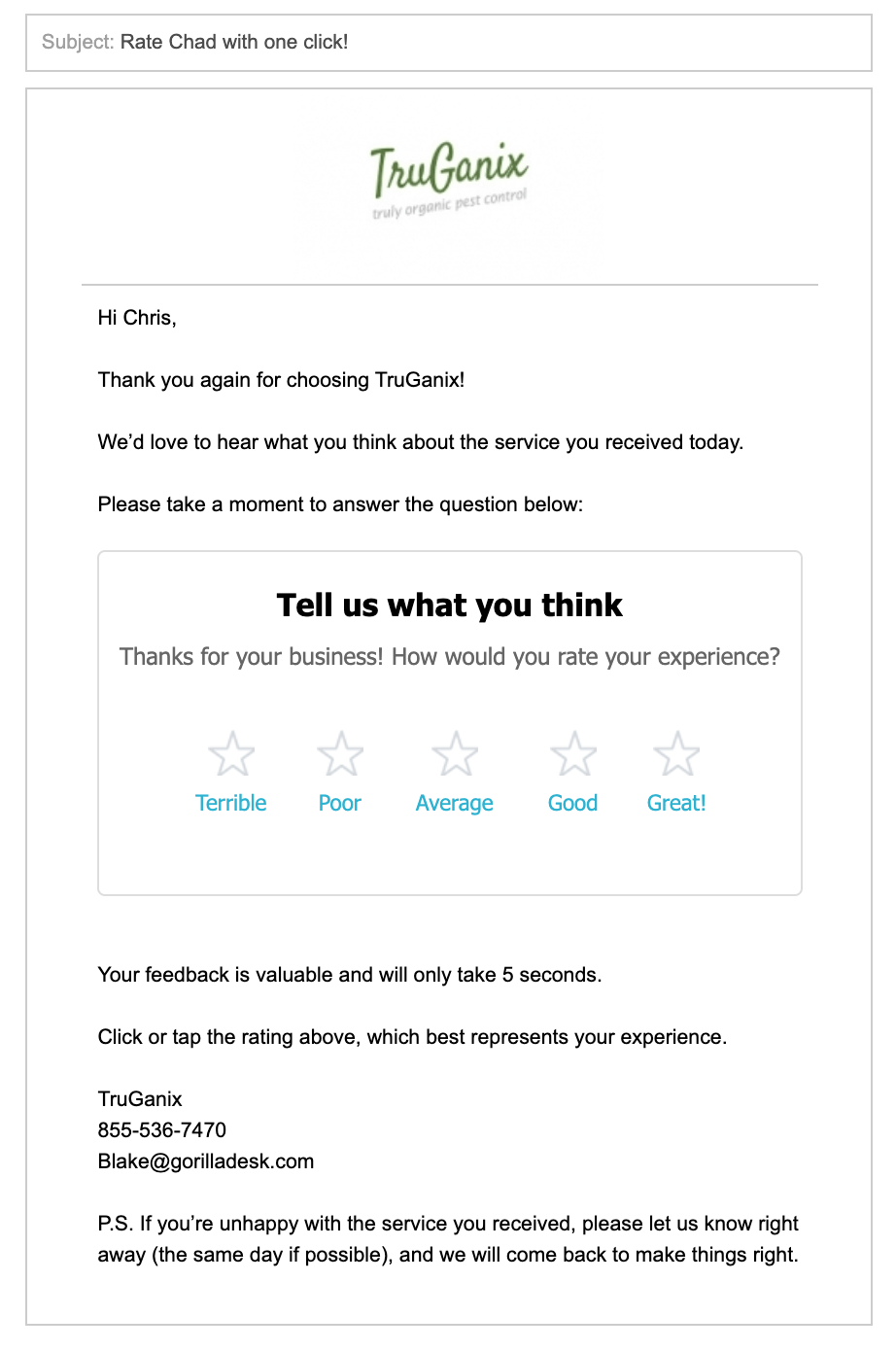
- Service Feedback
- Customer Reactivation
Why Your Local Service Business Should Use Transactional Emails
Communication is the key to any successful relationship. These emails allow you to do just that!
8x
Transactional Emails receive eight times more opens than non-transactional emails.

3x
Transactional Emails generate three times higher click-through-rates than any other emails.

6x
Transactional Emails generate six times more revenue than non-transactional emails.
Interested? Here’s a sneak peek
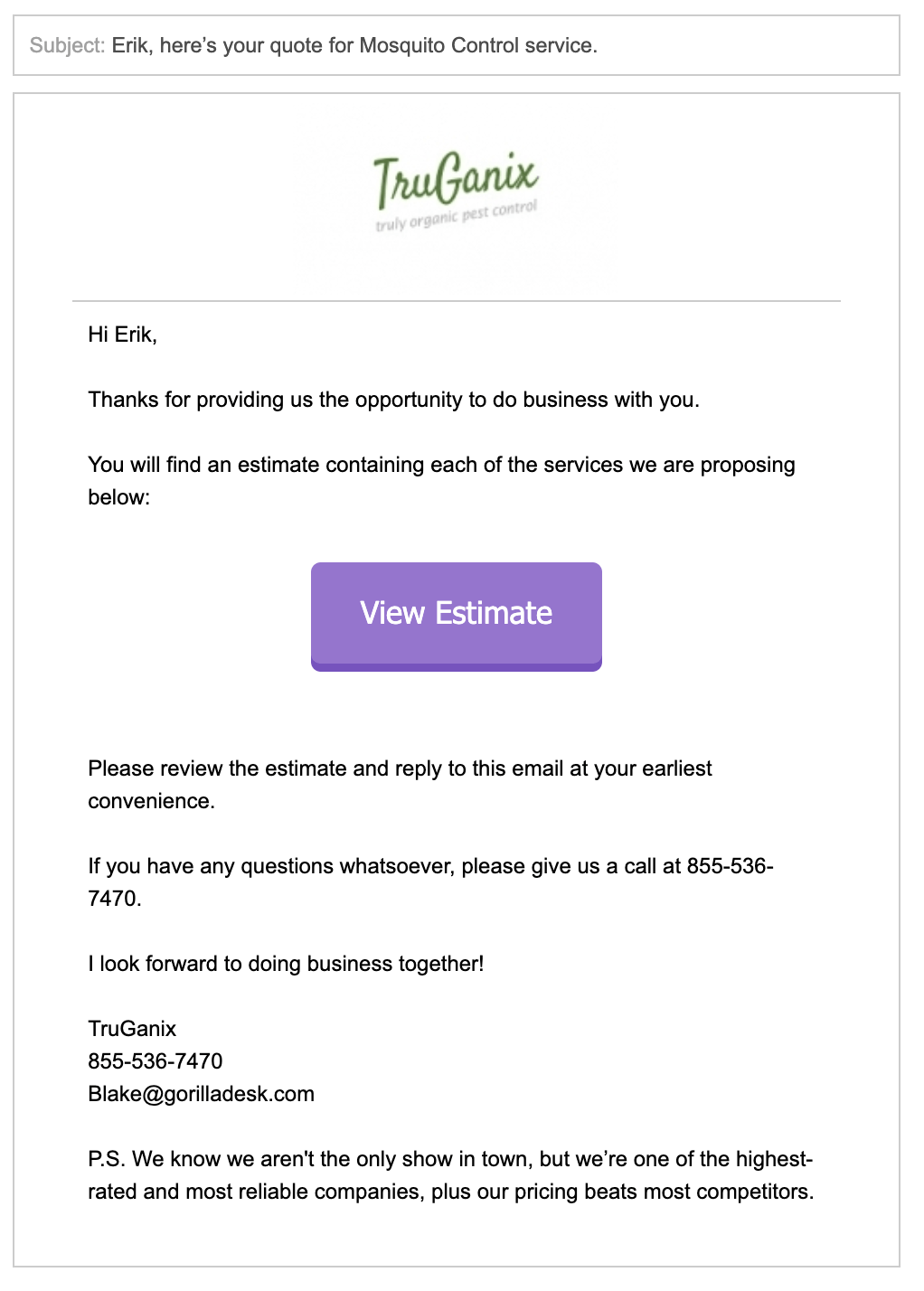
Estimate Email
When you send out a detailed, good-looking estimate, it communicates to the client you provide high-quality services, and that your business is the real deal. You’ll create a fantastic first impression with our estimate email template. Use this email to:
• Win new business.
• Book more repeat business.
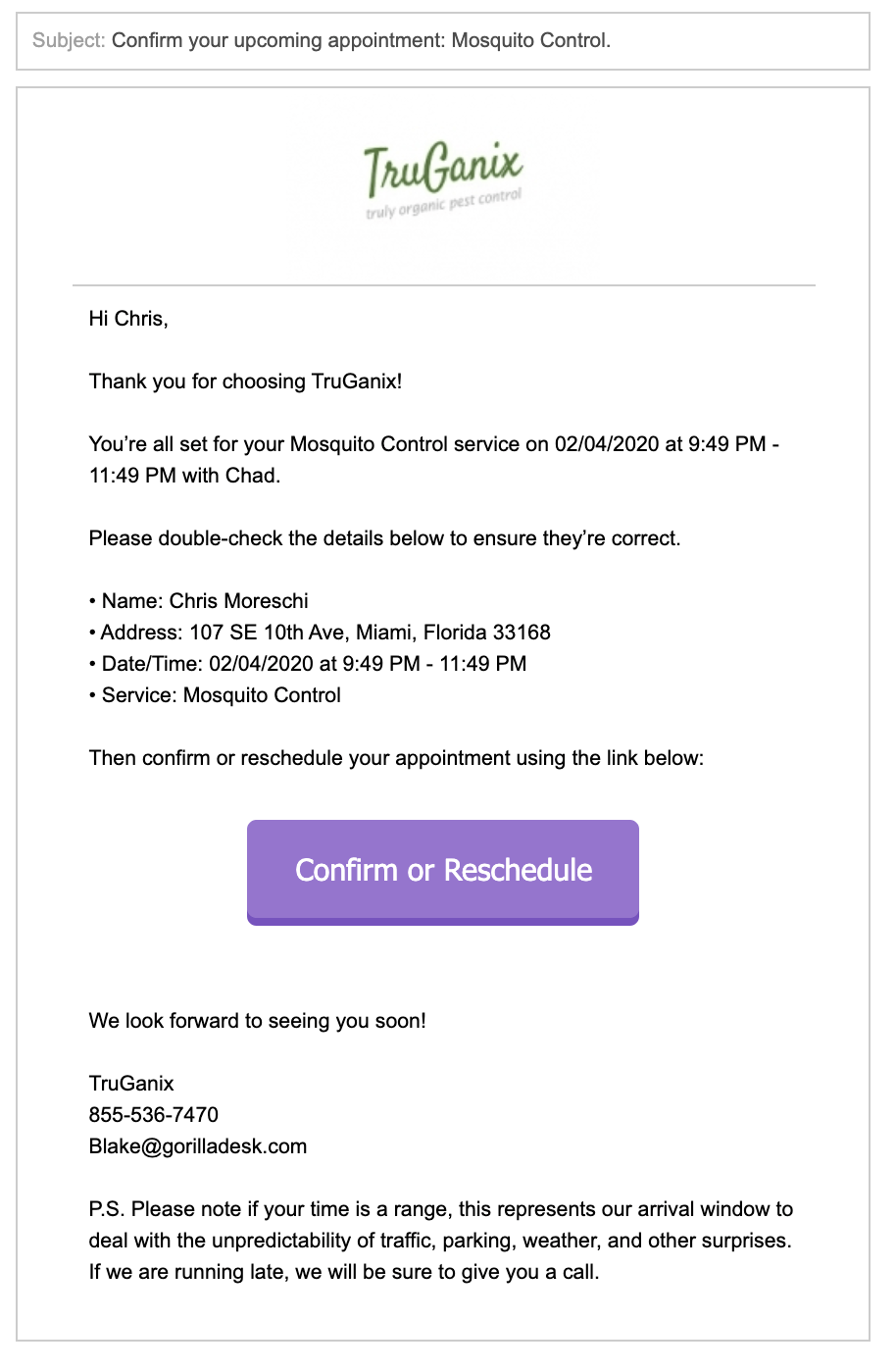
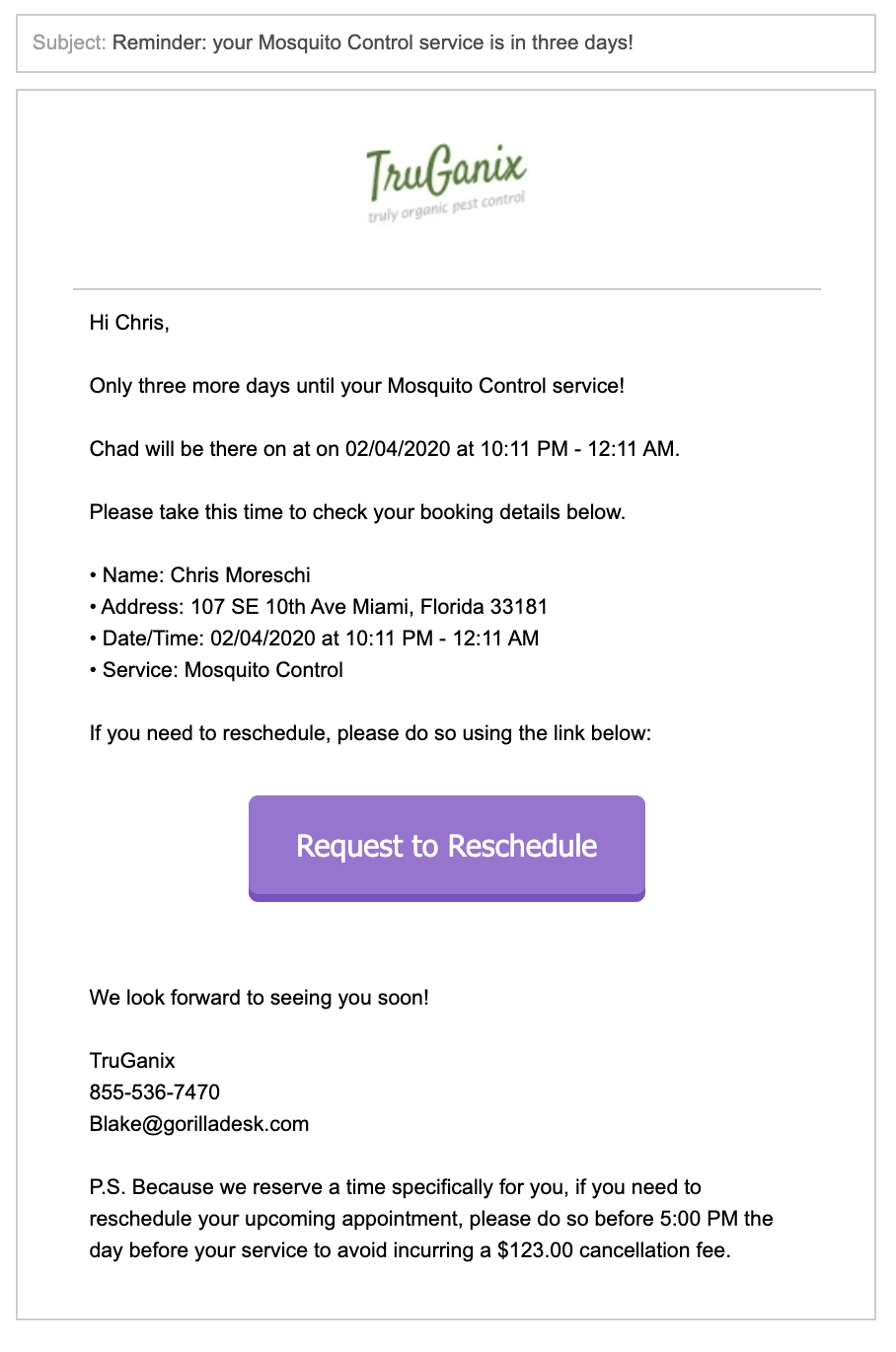
Appointment Confirmation/Reminder/Follow-Up Emails
Communicate with your customers at key points before, during, and after the job. Remind customers about upcoming appointments, let them know you’re on the way, and follow-up with them once the work is done. These templates will help you:
• Keep clients up to speed.
• Avoid last-minute cancellations.
Invoice & Late Payment Reminder Emails
Tired of remembering to send out invoices after completing a job? How about chasing customers down for money? These emails ensure you get paid for the amazing work you do. Use these templates to:
• Invoice easily.
• Get paid faster.
Service Feedback & Review Generation Emails
Surveying your customers by email is undoubtedly one of the most popular ways to receive honest, candid feedback. This allows you to take the appropriate response depending on how satisfied (or unsatisfied) they are with your services. Use these templates to:
• Be proactive and make things right for customers who are upset.
• Retain customers who are on the fence (or considering other options).
• Collect new, glamouring reviews from customers who love your business.
Reactivation Email
Did you know that it costs seven times as much to acquire a new customer than to retain an existing one? The first rule of any business is to keep your customers active and build lasting relationships with them. This email allows you to:
• Re-engage inactive customers.
• Prompt them to do business with you.
In case you were wondering…
What are Transcational Emails?
When most small business owners think of email marketing, the first thing that comes to mind is monthly newsletters and special offers.
But the truth is, email marketing is so much more than that. In fact, every email you send to a lead, prospect, or customer is a chance to provide value and nurture your relationship.
This is where Transactional Emails, those sent automatically by your CRM (like GorillaDesk), step up to the plate.
How are Transactional Emails different than Promotional Emails?
Unlike Transactional Emails, which are triggered and sent automatically to one recipient at a time, Promotional Emails are timed and sent strategically to your entire email list.
Examples of Promotional Emails include but are not limited to marketing offers, newsletters, announcements, event invitations, and holiday and seasonal promotions.
The goal with Promotional Emails is often to drive a purchase or other type of conversion.