


SMS Text Messaging
Two-way business texting built into your CRM
Communicate in real-time with clients using SMS. Send appointment confirmations, reminders, and follow-ups — and reply from the same inbox where you manage every customer account.
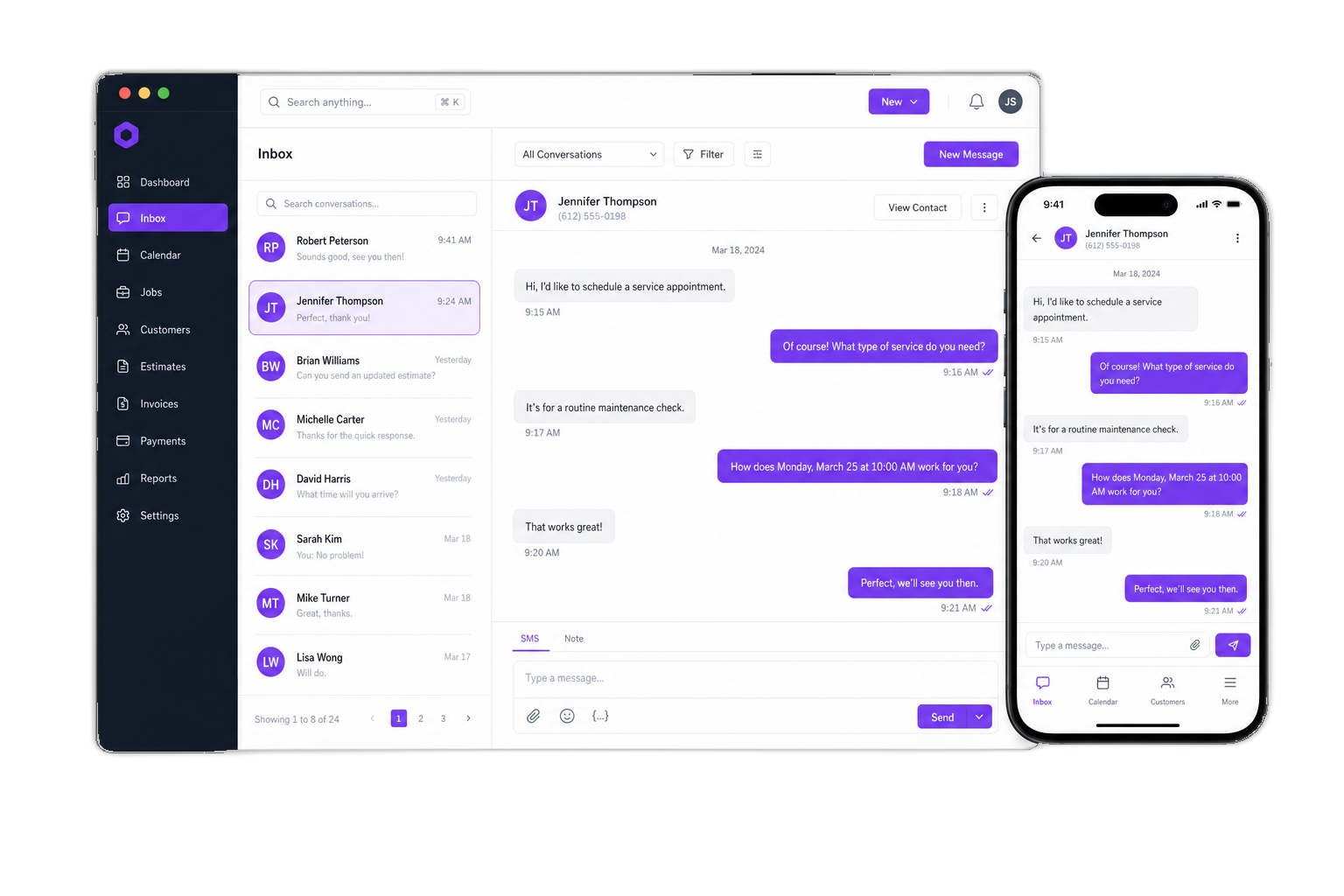
SMS offers:

SMS Communicator
Send and receive texts from every customer profile and your inbox.

Automated reminders
Appointment confirmations and reminders with SMS variables.

SMS templates
Save common messages so your team replies faster.

User permissions
Control who can send SMS and who receives notifications.

And much more
Variables, attachments, SMS bot replies, and AI agents.
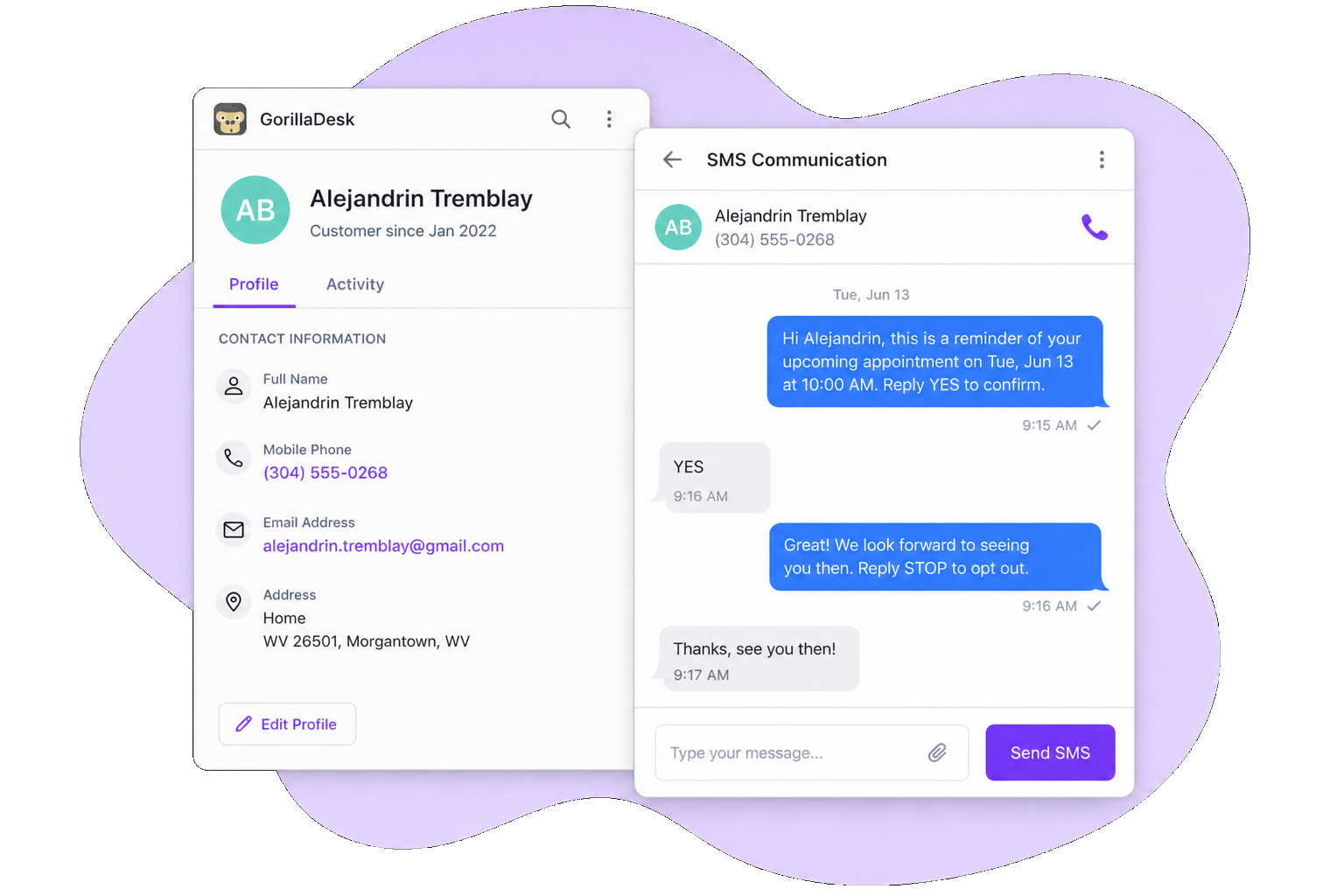
SMS communicator
Reach customers where they actually reply
Every customer has an SMS communicator that shows outgoing messages and incoming replies in real time. Open threads from your inbox, customer notes, or the mobile app — so your team never jumps to a separate texting tool.
Try GorillaDesk for sMS communicator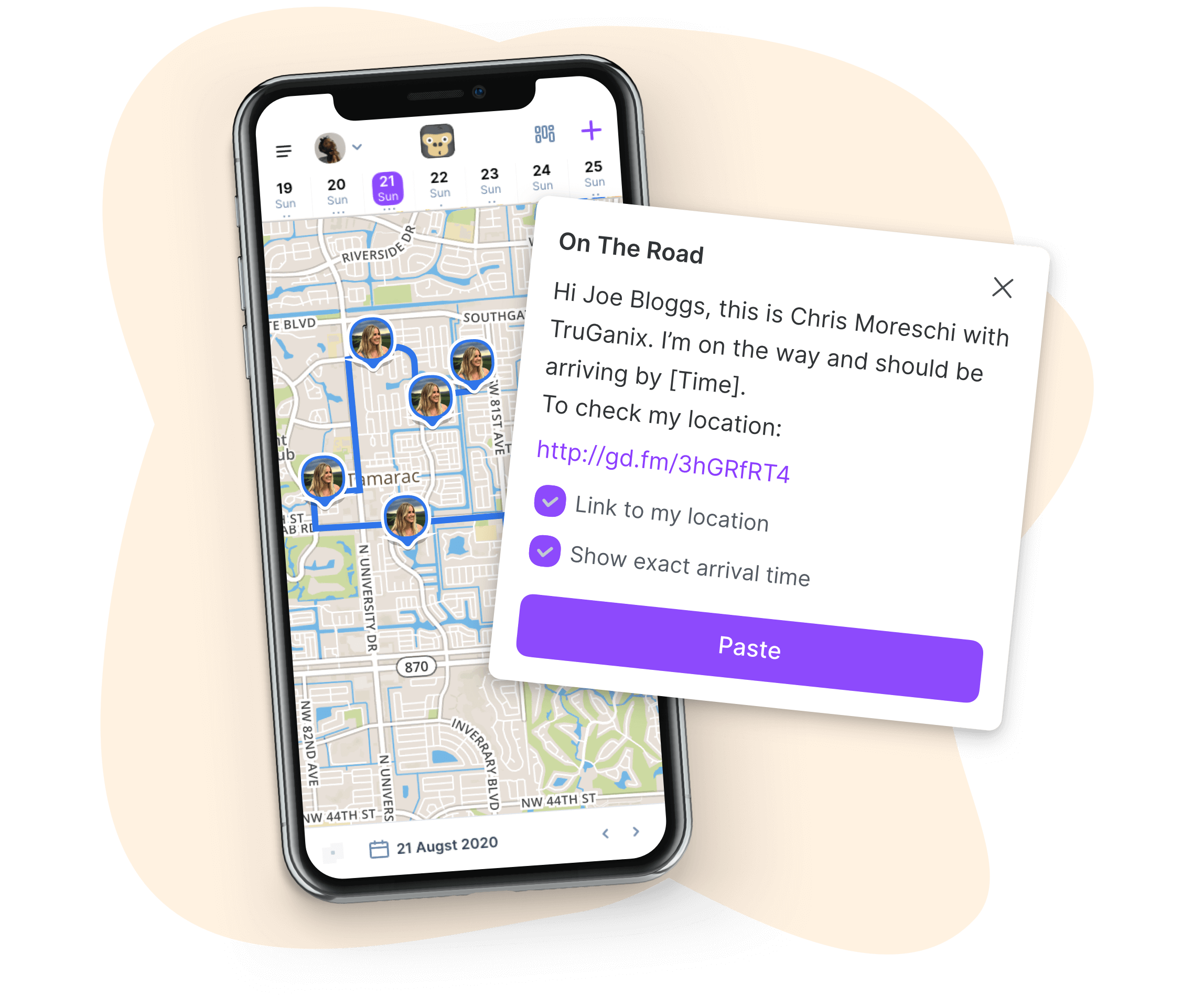
Automated reminders
Automate appointment touchpoints
Use SMS alongside email for appointment confirmations and reminders. SMS variables automatically pull customer details into each message, and you can include short links or the SMS bot so customers confirm or reschedule on their own.
Try GorillaDesk for automated reminders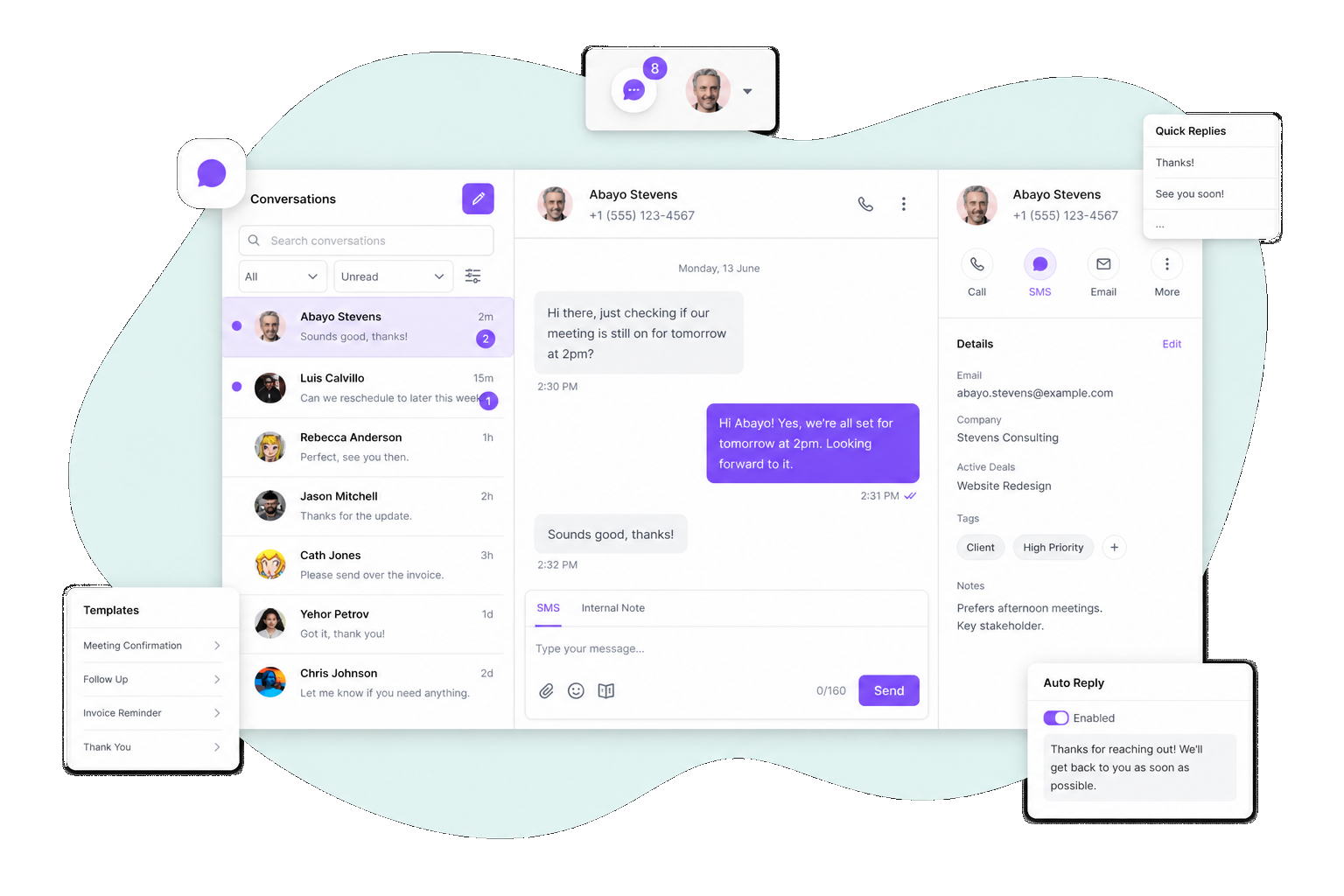
SMS inbox
Keep every conversation tied to the account
Incoming messages land in your SMS inbox with full thread history on the customer profile and in the activity log. All incoming messages are free — only outgoing texts draw from your prepaid SMS pack.
Try GorillaDesk for sMS inbox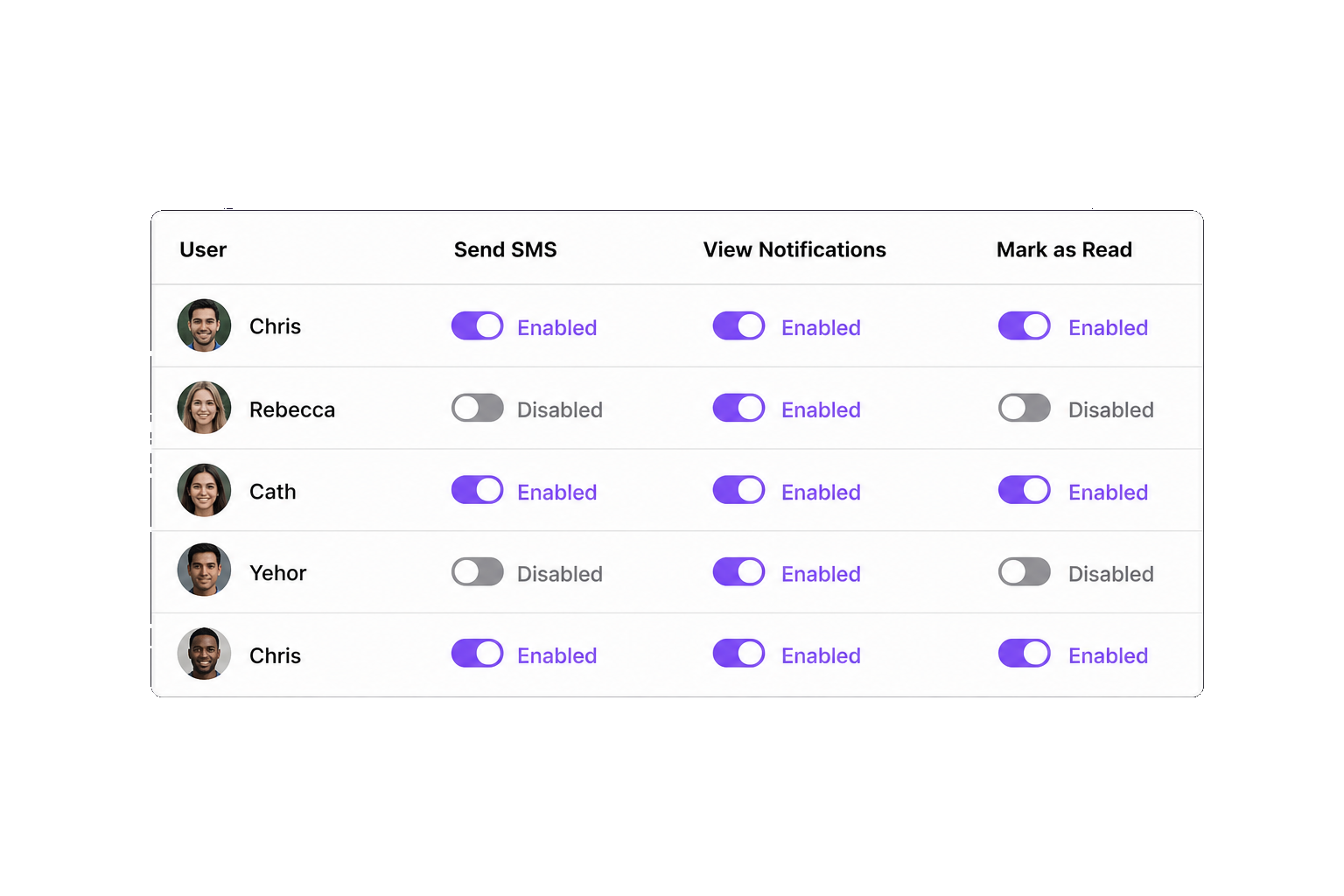
User permissions
Control access across your team
Grant or restrict which users can send SMS, view notifications, and mark messages as read from your company line. Limit notifications per user so field techs only see texts tied to their active jobs.
Try GorillaDesk for user permissionsSMS add-on plans
Dedicated business line from $5/mo plus prepaid SMS packs — unlimited users on your GorillaDesk account.
1,000 SMS
$50pack
5¢ each
Plus $5/mo dedicated line · 1,000 outbound messages · 5¢ each
2,500 SMS
$100pack
4¢ · save 20%
Plus $5/mo dedicated line · 2,500 outbound messages · 4¢ each
8,000 SMS
$200pack
2.5¢ · save 50%
Plus $5/mo dedicated line · 8,000 outbound messages · 2.5¢ each
No costs or SMS credits used for incoming messages.
Still have questions? We've got answers.
How do I enable SMS text messaging?
Subscribe to the SMS Text Messaging add-on under Add-ons in GorillaDesk. A $5 monthly fee covers your dedicated business number while the add-on is active, and you purchase prepaid SMS packs to send outbound messages.
Do incoming SMS messages cost credits?
No. All incoming messages are free. Only outgoing messages draw from your prepaid SMS pack.
How do customers opt in to receive SMS?
Customers can opt in from their customer portal profile or when your team enables SMS on their account. The SMS Global Override power-up turns SMS messaging preferences on by default for all current and future customers when activated.
What is the SMS Communicator?
The SMS communicator lets you send SMS messages directly to a customer from within GorillaDesk. Open it from Inbox > SMS, from a customer profile under Notes > SMS, or on the mobile app, with templates, variables, emojis, and attachments.
Can I use SMS for appointment reminders and confirmations?
Yes. Text messaging works alongside email for appointment confirmations and reminders. SMS variables pull customer details into each message, and you can include a short URL or SMS bot so customers confirm or request to reschedule.
Can I control which users send or receive SMS?
Yes. User SMS Permissions let you grant or restrict who can send SMS, view notifications, and mark messages as read from your company line. You can also limit incoming notifications per user to none, assigned customers only, or all messages.